Run your gym, hall or academy from one place
Members with QR Access Keys, subscriptions, check-in, classes, sales, accounts, payroll, shop and your own website — built for gyms, sports halls, academies, studios and any place that runs on sessions.

A new member in a minute — the key on their phone
Add the member at the reception with their details, plan and payment, and they walk away with their Access Key right away: a ready image in your gym's colors with its own logo, sent on WhatsApp.
- Ready in a minuteName, phone, plan and payment in three short steps — no paper and no waiting.
- Your gym's lookA frame in your gym's color, your own logo on top, the QR and the member's name.
- On WhatsApp in one tapThe member keeps it on the phone and opens their page any time: plan, sessions left and end date.
Your gym, in your colors
Choose a professional theme for the staff screens. The admin changes it in one click, and every user sees it right away. Every user can also switch to dark mode in the same colors, and it stays on for them on any device.
Any place that runs on sessions
Gyms are just the start. If your members book sessions, join classes or train with a coach, GymSofto runs it.
Sell subscriptions the way your place works
A normal gym, an academy, classes, private training — or all of them together. Turn on only what you need; the rest stays out of your way.
Everything your place runs on
From the first call with an applicant to the salary of the coach — every part of the gym is connected.
Members & QR Access Keys
Every member has an Access Key with a QR code. One scan opens the member, checks them in and shows what is left.
Learn moreSubscriptions & remaining balances
Plans per branch, renewals in seconds, the remaining balance paid in stages with a payment history, and alerts before expiry.
Learn moreCheck-in & attendance
Check-in from the Access Key, sessions counted automatically, peak hours and daily reports.
Learn moreClasses, coaches & schedule
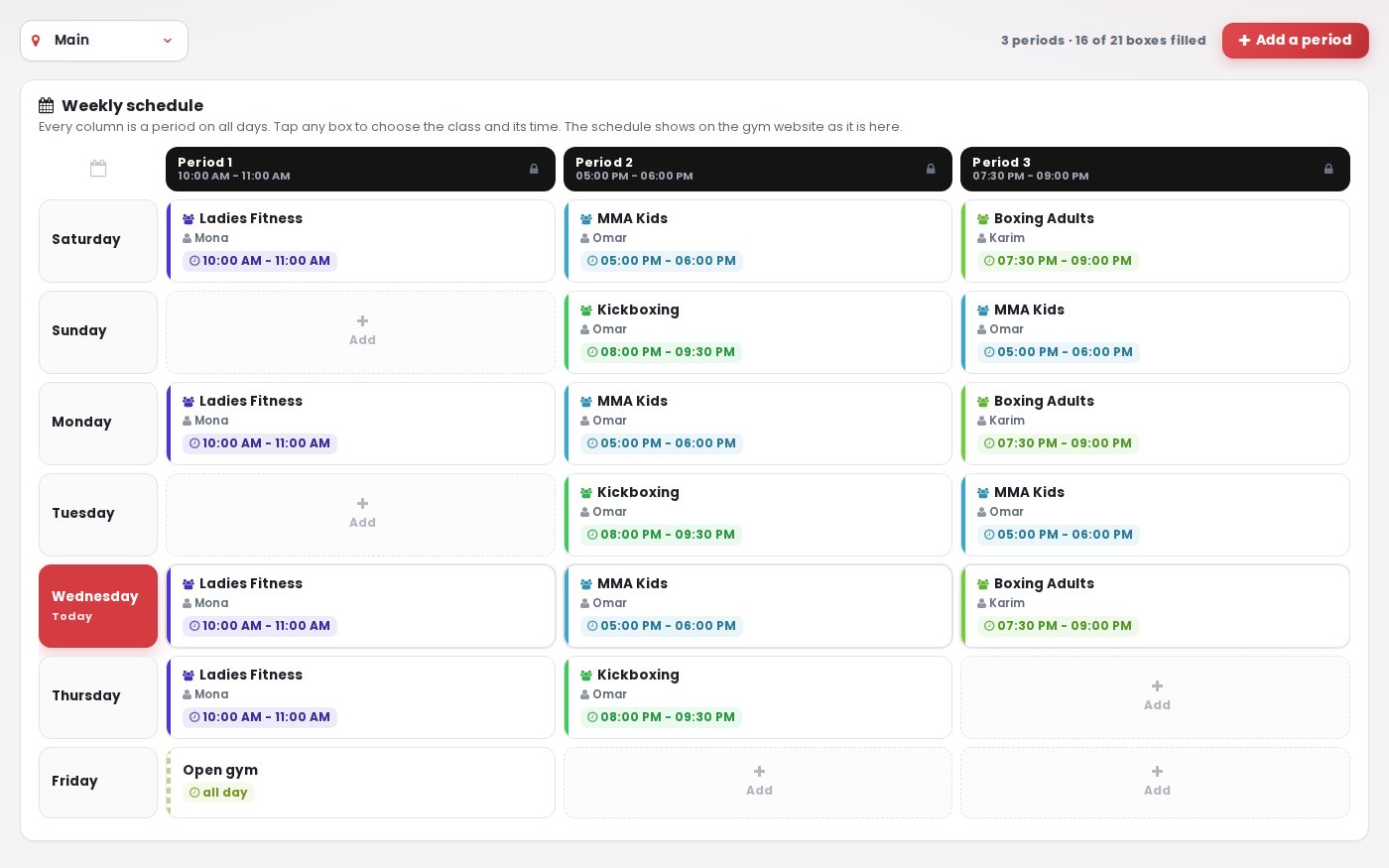
Classes with their coaches, a weekly schedule on your website and live class sessions with attendance rate.
Learn moreSales & applicants follow-up
Every applicant is followed up, every subscription is linked to its sales person and commissions are calculated for you.
Learn moreAccounts & reports
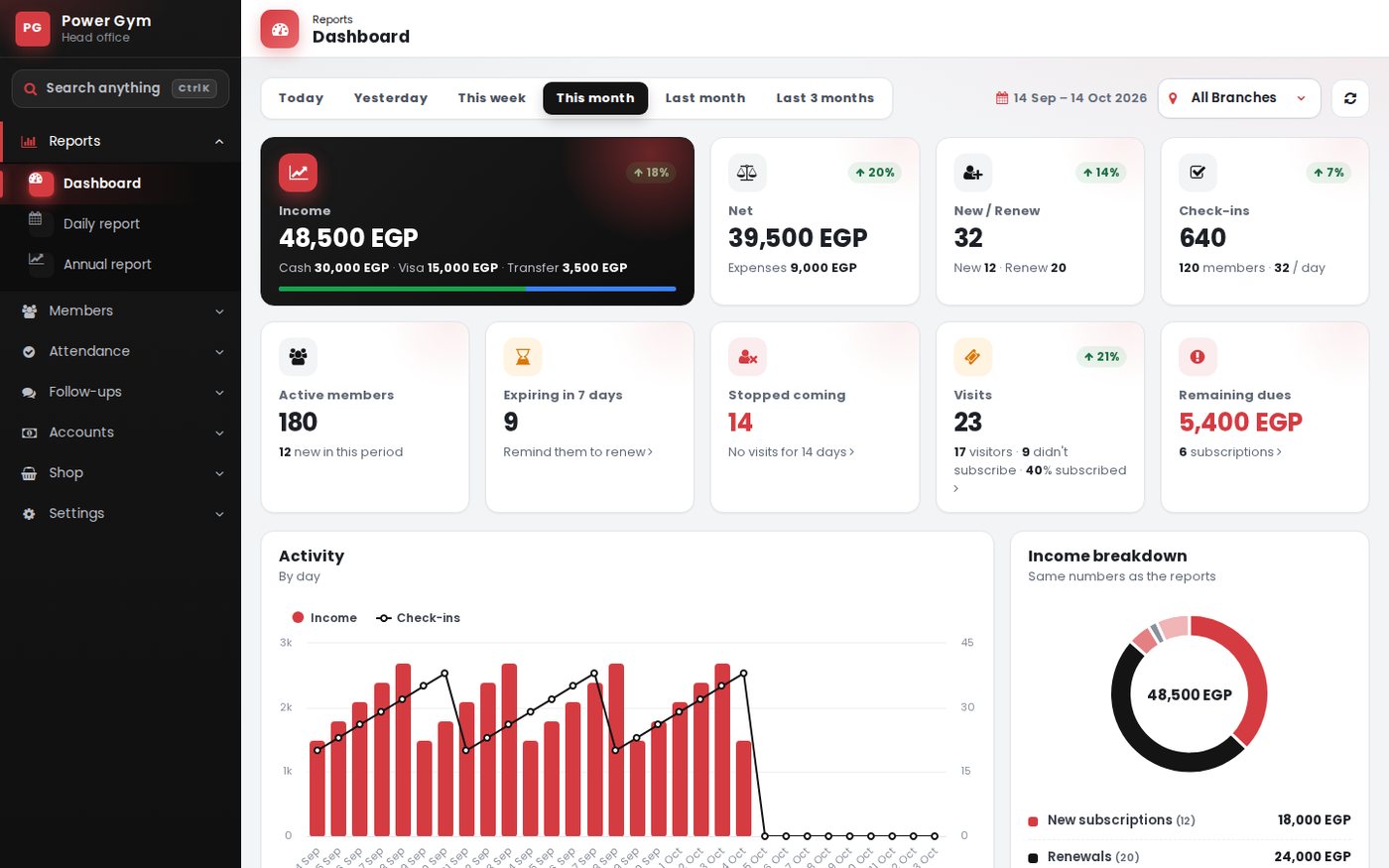
Money in and out, expenses by category, what you owe and what is owed to you — for every branch.
Learn moreStaff & payroll
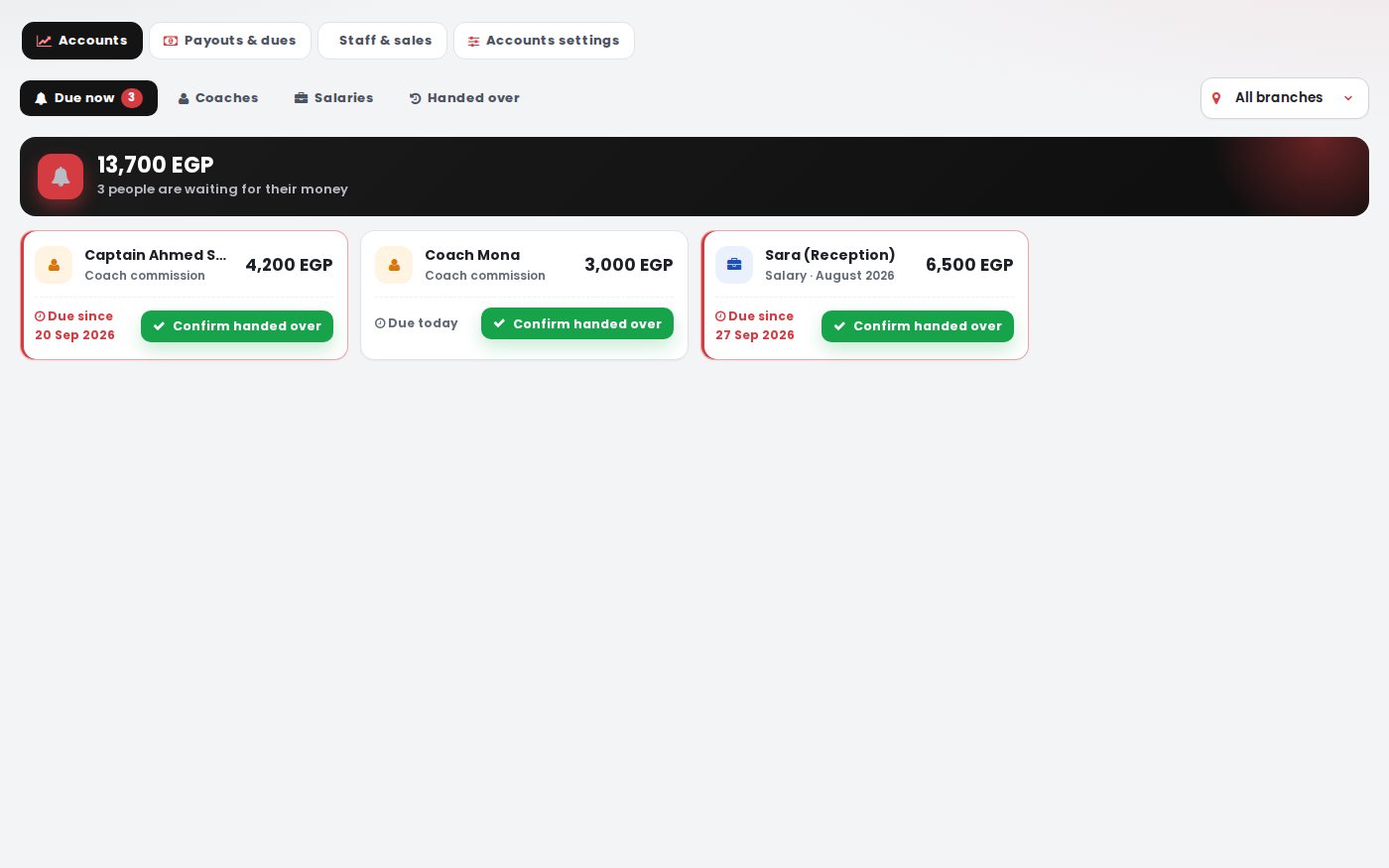
Salaries, sales commissions, coach percentages and payouts — with the expense recorded automatically.
Learn moreShop & inventory
Sell supplements, drinks and accessories with a fast point of sale, stock per branch and suppliers.
Learn moreWebsite for your gym
A ready website on your own domain with templates, a visual editor, your schedule and a subscribe form that feeds your applicants list.
Learn moreBranches, users & permissions
Multi-branch from day one, a permission for every screen, devices control and notifications on every phone.
Learn moreAnd it all works together
A check-in updates the class, a subscription pays the sales commission, a coach payout becomes an expense — no double work.
An Access Key that knows your member
Every member gets an Access Key with a QR code. Reception scans it to check in, and the member opens it to see what is left and renew.
- Check-in with one scanThe session is counted and the class is updated.
- Renewals and remaining balancesRenew from the Access Key and follow every remaining amount.
- Know who is about to leaveExpiring and ended members in one list for your sales team.
One Access Key: QR on the back, NFC inside
Every member gets a round Access Key made of resin on acrylic, domed on both sides. The front carries your gym's logo, the back carries the gym name and the member's own QR code, and an NFC chip inside holds the same link.
- Scan the QR or tap NFCBoth open the same Access Key page — the QR with any phone camera, NFC by touching the key to the back of a phone that supports NFC.
- At receptionWhen a staff member is signed in on that phone, the check-in is recorded right away.
- For the memberOn their own phone the member sees their plan, the sessions left and the end date.
- A new keyA key that isn't linked yet opens the new member registration, so it is linked from the first scan.
Examples of Access Keys — the gym's logo on the front, the gym name and QR on the back. Names and logos here are samples.
- Scan or tapThe camera on the QR, or the key on the back of an NFC phone.
- The Access Key page opensOn your gym's link, for this member only.
- Check-in or renewalStaff signed in: the check-in is recorded. Plan ended: the renewal page opens.
Check-in from the reception phone
No extra devices or scanners. The receptionist signs in to GymSofto once on the reception phone or tablet, then scans the member's Access Key with the camera or taps it by NFC — the Access Key page opens and the check-in is recorded.
- One check-in a dayScanning the same key again that day doesn't count a second visit.
- Everything on one screenSessions left, end date, coach, class and any remaining amount.
- Ended or frozen plansAn ended plan opens the renewal page, and a frozen member is not checked in.
- Per branchA user tied to a branch checks in that branch's members only.
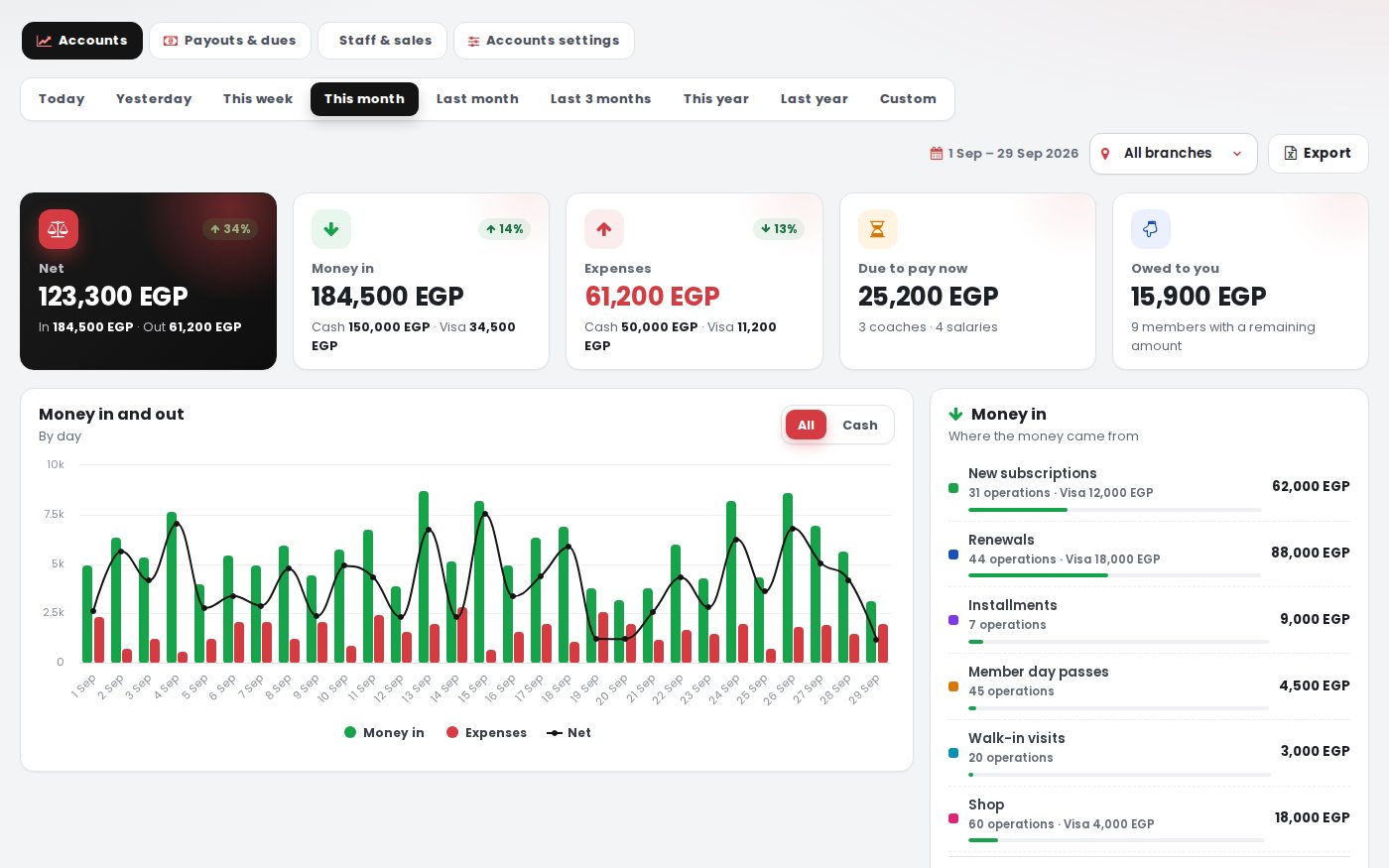
Know your real net, every day
Subscriptions, remaining payments, visits and shop sales on one side; expenses, salaries and commissions on the other — calculated for you.
- Automatic expensesSalaries and coach payouts are recorded as expenses by themselves.
- Sales commissionsPercentage or fixed, for new members or renewals.
- Coach pay rulesPer session, percentage or monthly salary.
Classes that run themselves
Build the weekly schedule once. Class sessions start with the first check-in, and you see who came, when, and how every coach performs.
- Schedule on your websiteChange a time and your website updates.
- Attendance rate per classBusiest hours and days at a glance.
Your gym shop, inside the same system
Sell supplements, drinks and accessories to members, with stock per branch, suppliers and profit — and sale on credit only for subscribed members.
Shop & inventory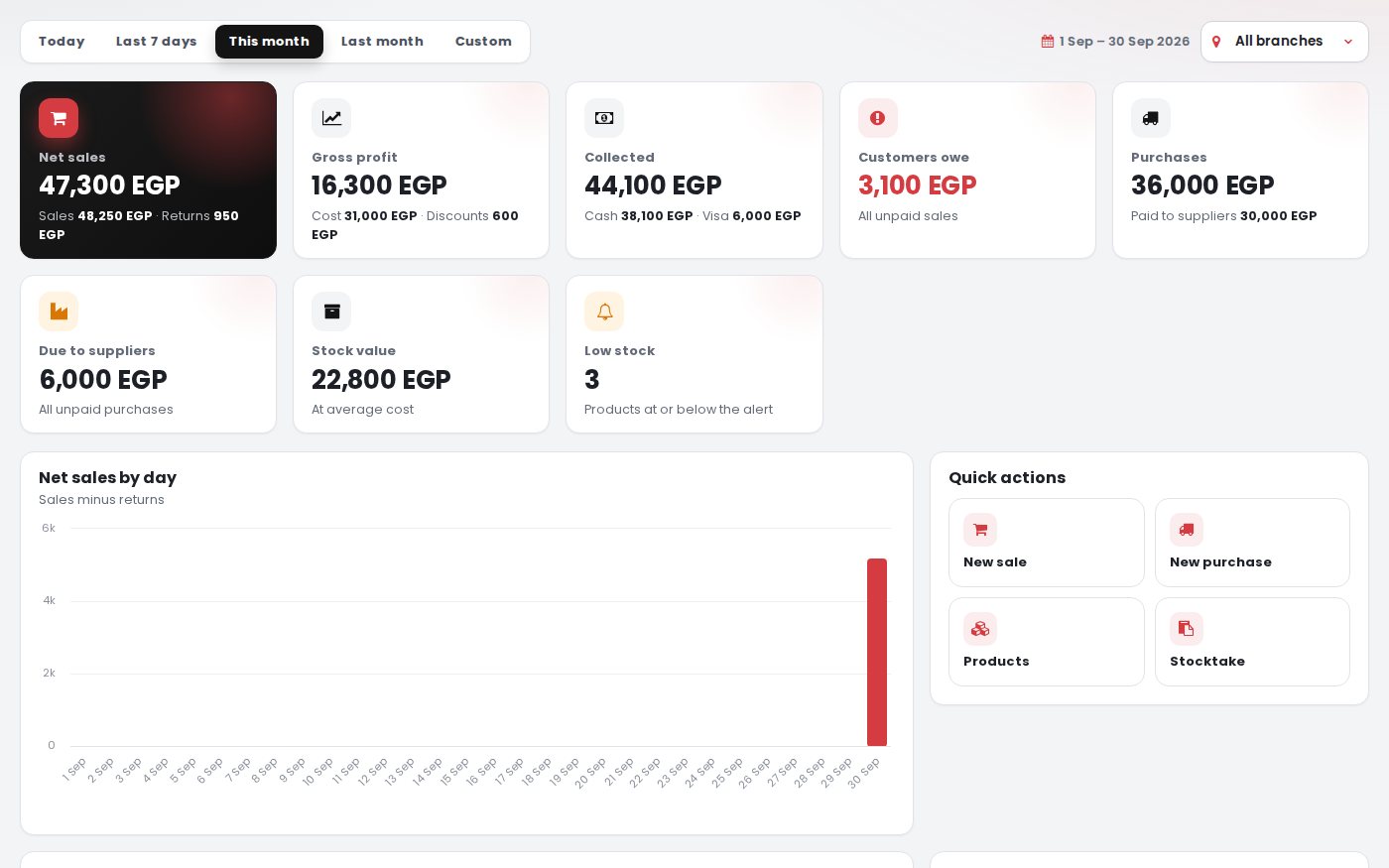
A website that brings you members
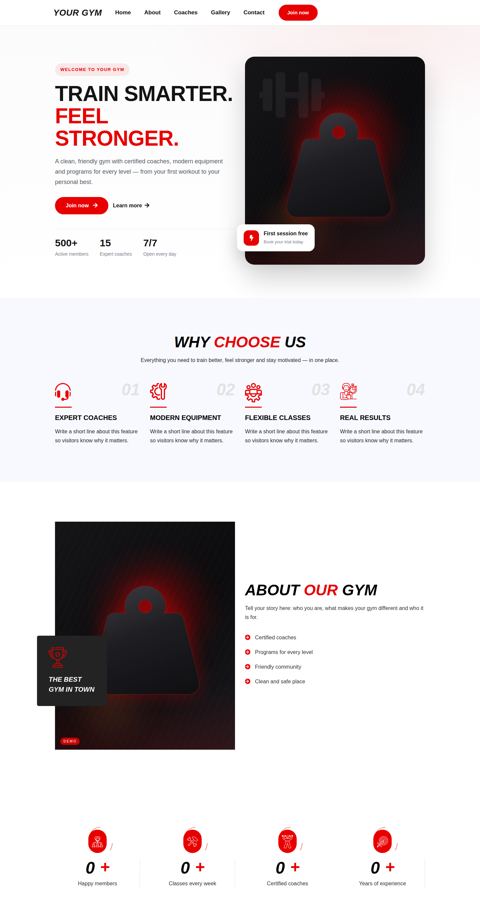
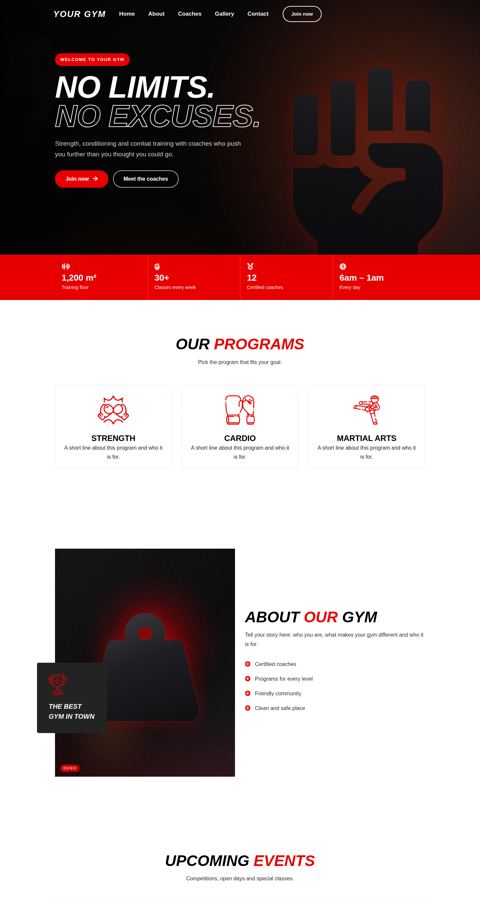
Choose a template, change any text or image with the visual editor and publish on your domain. Visitors who subscribe go straight to your applicants list.
Website for your gym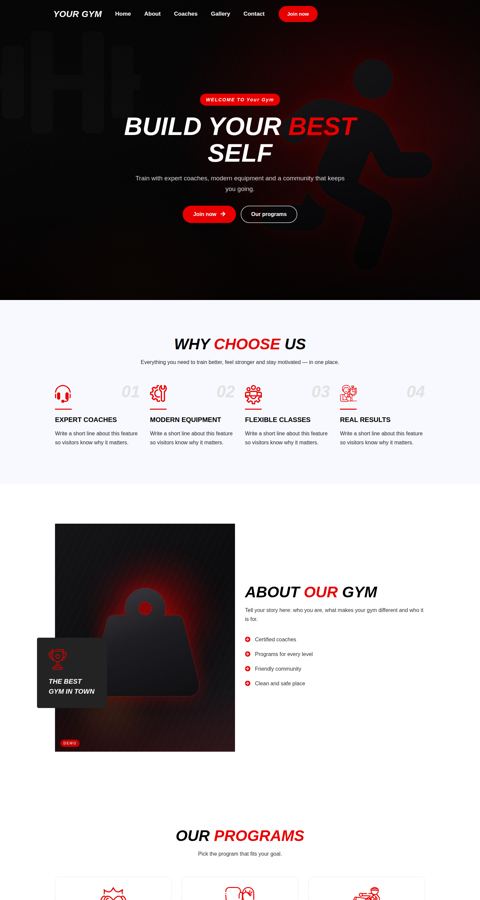
Print Access Keys yourself
Need keys today? Order soft Access Keys from your account; once the order is confirmed you download them as QR images, ready to print on your own cards or send to the member.
- Download what you needA page, all keys or a range — as PNG images in one file.
- Know what was printedMark the printed keys so nothing is printed twice.
- Same QR as the medalsThey work exactly like the medals by scanning — check-in and renewal — without NFC.
- Part of the bundleAvailable when soft Access Keys are included in your bundle.
Your data, locked down
Two-step verification with an authenticator app such as Google or Microsoft Authenticator, a device limit for every user and screen permissions — each person sees only what they need.
- Two-step verificationOptional, required for admins or required for everyone — you decide.
- Device limit per userSet how many devices each user can sign in from, and sign out any device remotely.
- Screen permissionsChoose the screens every user can open, and tie users to a branch.
- Every action recordedThe activity log shows who did what and when.
Excel and paper vs. GymSofto
The same daily work — without the lost money and the forgotten renewals.

Take a look inside
These are real screens from GymSofto, with demo data.
Money in and out, expenses and net for every branch.
Up and running in days, not months
We set up your gym
Branches, plans, classes, coaches, users and your website template.
We move your members
Your members and subscriptions are imported and linked to their Access Keys.
Your team starts working
We train reception, sales and managers, and stay with you on WhatsApp.
Common questions
Is it only for gyms?
No. It works for any place that runs on sessions and subscriptions: sports halls and clubs, martial arts and swimming academies, dance, yoga and pilates studios, kids activities, football and tennis schools and personal training studios.
Does it work for a normal gym without sessions?
Yes. Make an open plan by days only: the member comes any time until the end date, with no sessions, trainer or class needed. Plans with sessions, classes and private trainers work side by side.
Can a member have a gym membership and a class at the same time?
Yes. A member can have more than one running subscription, like the gym plus a boxing class, or a private trainer plus a class. Each one has its own end date, check-ins and coach, and the reports count the member once.
Can a plan include services like massage or sauna?
Yes. Add any service to a plan with its quantity — massage, sauna, InBody or private sessions — and record every use from the member profile, with the coach amount if there is one.
Do I need to install anything?
No. GymSofto works in the browser on any computer, tablet or phone, and you can add it to the phone home screen like an app.
Clear monthly pricing
Branches and users are included in every bundle, and you can add more any time.
Gym management
- Shop, POS and stock
- Dynamic website with templates
- Own domain set by the gym
- Soft Access Keys (QR)
Gym + shop
- Shop, POS and stock
- Dynamic website with templates
- Own domain set by the gym
- Soft Access Keys (QR)
Gym + dynamic website
- Shop, POS and stock
- Dynamic website with templates
- Own domain set by the gym
- Soft Access Keys (QR)
Gym + shop + dynamic website
- Shop, POS and stock
- Dynamic website with templates
- Own domain set by the gym
- Soft Access Keys (QR)
See GymSofto running for real
Open the live demo in one click, or talk to us and we set up your place with you.